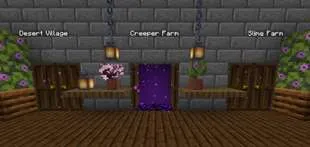
Warp Portals
Create Warp Portals between your favorite locations. This datapack is made to be balanced, simple to use and lightweight. Warp Portals supports Multiplayer and uses the best practices for datapacks to insure compatibility with other datapacks. This datapack doesn't use chunk loading, unlike most teleportation datapacks, which makes it lightweight no matter how many portals you have.
Usage
Forging the Portal Wand
To create a Warp Portal, you need to forge a Portal Wand. To do so, you need to drop an Ender Pearl in a Crying Obsidian block. They will turn into a portal and and the Crying Obsidian will be the destination of the portal created by the wand.
Creating the Portal
To create a portal, you need to right-click above a Crying Obsidian block with the Portal Wand. The portal will be created and stepping into it will teleport you to the place where that Wand was forged. You can add more Crying Obsidian or Obsidian blocks around the portal to make it bigger, they will also teleport you when you step on them, you can use any shape, pads, rectangles, etc.
Destroying the Portal
To destroy the portal, simply break the Crying Obsidian block in the entrance (where you see the particles) and the portal will be destroyed. The Ender Pearl used to create the wand will drop above.
Installation
After downloading the Warp Portals vX.Y.Z.zip file (vX.Y.Z is the version number), you can install it by one of the following methods:
- New SinglePlayer World: When creating a new world, in the More tab, click on Data Packs, and drop the Warp Portals vX.Y.Z.zip file. The datapack will appear in the Available list, click in the arrow to add it to the Selected list and click Done.
- Existing SinglePlayer World: Click Edit in the world selection screen, click Open World Folder, go to the datapacks folder and drop the Warp Portals vX.Y.Z.zip file.
- Multiplayer Server: Drop the Warp Portals vX.Y.Z.zip file in the datapacks folder inside the world folder.
Uninstalling
To uninstall Warp Portals, execute the command /function warp_portals:uninstall in the world where you installed the datapack, then remove the Warp Portals vX.Y.Z.zip file from the datapacks folder.
Note that Minecraft doesn't provide the necessary tools to actually remove the entirety of a datapack. This function will break (and drop the Ender Pearls) of all portals in currently loaded chunks.
本站是资源分享站,资源均来自于互联网和用户自发分享,仅供学习和交流使用。如有版权问题,请联系管理员删除。
操作
创作者
待认领资源
成为此资源的创作者
其他链接
最近更新资源
咒术回战(咒术战斗) - Jujutsu Kaisen (Sorcery Fight)
热度 3188 | 1 天前更新
机械动力:工业与牧歌 - Create: Industry and Pastoral
热度 4500 | 1 天前更新
阿卡迪亚的天启:天选之歌
热度 438 | 1 天前更新
虚饰作品-Fictional
热度 4656 | 3 天前更新
剑痕纪元
热度 1695 | 3 天前更新
猎杀:历史 1949 - Hunt: History 1949
热度 1607 | 3 天前更新
更好的MC Better MC [NEOFORGE] BMC5
热度 2246 | 4 天前更新
ATM10:空岛 - All the Mods 10: To the Sky
热度 788 | 4 天前更新
方块宝可梦x纪元(Cobblemon x Era)
热度 5373 | 4 天前更新
轻境冒险
热度 326 | 4 天前更新
奇妙商店物语
热度 911 | 6 天前更新
无限遗产II - Infinity Legacy II
热度 4169 | 1 周前更新
评论区 (0)
登录 后才能发表评论
快来发表第一条评论吧!