About
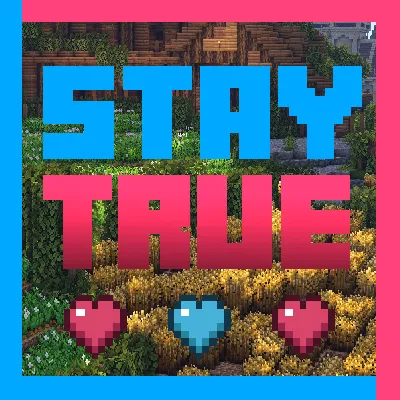
Stay True is a visual remaster of the current default texturepack, I tweaked and changed a lot of current textures that I thought needed it. The changes are not drastic and still fit perfectly with the current color scheme and textures of the default texture pack, many of these changes will add a lot more diversity, removing repetitiveness which in turn results in a more realistic and overall nicer appearance. (in my opinion :P)
NOTE: This pack is still being updated. So be sure to download the latest version.
OPTIFINE REQUIRED FOR:
Connected textures
Overlays
Pink Birch Leaves
and more.
Dont want Bushy Leaves?
Download this addon the remove bushy leaves.
Maps Used for Screenshots.
Novigrad by ElysiumFire.
Shaders Used.
Sildurs Vibrant Shaders and BSL Shaders
FAQ
Birch Leaves are white how do i fix?
If you are usings mods like fabric, make sure Stay True is at the top of the Resourse Packs/ mods list.
Can I have permission to use this in my modpack I will give credit?
Yes :)
My leaves aren't working correctly how do I fix it?
You need to have your leaves on fancy.
How do I make it so I only have orange leaves?
Navigate to assets/minecraft/optifine/cmt/leaves/birch_leaves/orange and copy the texture files, then go back to the cherry_blossom folder and paste the files in there. This will replace the pink leaves with orange leaves.
How do I make it so I only have pink leaves?
Navigate to assets/minecraft/optifine/cmt/leaves/birch_leaves/cherry_blossom
copy the leave texture files, go back and paste them in the orange folder. Also paste them in blocks folder located minecraft/assets/textures/blocks
How do I disable the birch leave colors?
Open the "green birch leaves" folder located assets/minecraft/textures/blocks/green_birch_leaves copy the texture files and paste in the following areas assets/minecraft/textures/block, assets/minecraft/optifine/ctm/leaves/birch_leaves/cherry_blossom, assets/minecraft/optifine/ctm/leaves/birch_leaves/orange. To remove the orange grass in birch biomes go to the "no green grass" folder located assets/minecraft/textures/colormap copy the grass texture file and paste in the colormap folder replacing the old one.
The leave colors don't look correct with certain mods installed how can I Fix this?
Unfortunately I don't have any experience with mod compatibility issues but I believe deleting the colormap folder might fix the problem these are located assets/minecraft/textures/colormap also assets/minecraft/textures/optifine/colormap.
Some Birch trees have both orange and pink leaves?
This happens when a tree is on the border of a biome where one biome has orange leaves and one pink. From my knowledge there is nothing that can be done to fix this. Other than only having one leave color.
I don't have block variations or connected textures?
You need to turn these on in the settings menu with optifine installed. You need connected textures on fancy and alternate blocks turned on.
本站是资源分享站,资源均来自于互联网和用户自发分享,仅供学习和交流使用。如有版权问题,请联系管理员删除。
操作
创作者
待认领资源
成为此资源的创作者
其他链接
最近更新资源
神秘启旅 ~ Thaum Journey
热度 2484 | 5 天前更新
愚者 - The Fool
热度 81696 | 5 天前更新
咒术回战(咒术战斗) - Jujutsu Kaisen (Sorcery Fight)
热度 2830 | 6 天前更新
诡厄使徒:诸神黄昏
热度 205 | 6 天前更新
终焉决斗NW
热度 380 | 6 天前更新
Minecraft-摄影奇境
热度 377 | 1 周前更新
无限遗产II - Infinity Legacy II
热度 3756 | 1 周前更新
机械动力:黄铜协奏曲
热度 4262 | 1 周前更新
ATM10:空岛 - All the Mods 10: To the Sky
热度 334 | 1 周前更新
魔女之旅
热度 1197 | 1 周前更新
石头世界4 FTB StoneBlock 4
热度 4293 | 1 周前更新
通天之路
热度 1937 | 1 周前更新
评论区 (0)
登录 后才能发表评论
快来发表第一条评论吧!