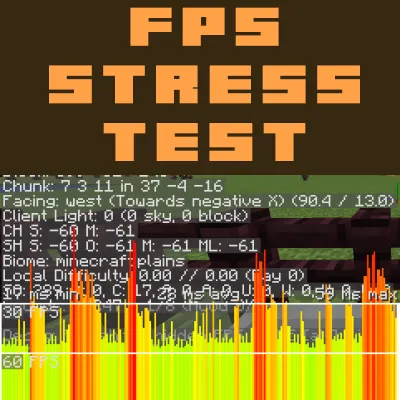
使用这个世界来对你的电脑进行压力测试,并测量你的帧率(FPS)和延迟峰值。我在平坦世界设置下创建了这个世界,它包含村庄、村民、动物、熔岩、水,并且你的角色将处于自动铁路系统上。当你首次进入这个世界时,无需做任何事,因为角色应该已经在铁轨上了。
操作说明
1) 将视频设置中的所有选项都调至最大值。所有滑块也都调至最大。
2) 将视野(FOV)改为“雷神之锤专业版(Quake Pro)”
3) 使用Alt+F3查看系统数据,包括延迟峰值信息。可以考虑使用诸如FRAPS或微星Afterburner之类的帧率计数器来查看游戏中的帧率。
在原版游戏中测量平均值。然后使用钠(Sodium)模组和高清修复(OptiFine)模组进行相同的测试。
你可以使用多个模组/模组包来测试你的系统性能。
注意:屏幕上会发生很多事情,所以这个测试对低端机器的影响会非常大。如果你使用的是低端电脑,可以考虑关闭雷雨天气(/weather clear),并尝试在中等设置和正常视野下进行测试。
立即获取一个服务器,和你的朋友一起玩!点击 这里 或下方横幅,并使用代码 GAMERPOTION 可享受25折优惠!
Use this world to stress test your PC and measure your FPS and Lag Spikes. I created this world on a flatworld setting and it contains villages, villagers, animals, lava, water, and your character will be on an automated rail system. When you first enter the world you won't have to do anything as the character should already be on rails.
Instructions
1) Turn everything in Video Settings to the Maximum value. All sliders to the maximum as well.
2) Change FOV to Quake Pro
3) Use Alt+F3 to see your system data including lag spike information. Consider using a FPS counter such as FRAPS or MSI Afterburner to see your fps in game.
Measure an average in Vanilla game. Then use the same test with Sodium mod and OptiFine mod.
You can do this with multiple mods/modpacks to test your system performance.
Note: There is a lot of stuff happening on screen so this test will have a very heavy impact on lower end machines. If you are on a low end PC then consider turning off the thunder (/weather clear) and try testing on Medium settings and Normal FOV.
Get a server today and play with your friends! Click HERE or below banner & Use Code GAMERPOTION to get 25 off!
本站是资源分享站,资源均来自于互联网和用户自发分享,仅供学习和交流使用。如有版权问题,请联系管理员删除。
操作
创作者
待认领资源
成为此资源的创作者
其他链接
最近更新资源
神秘启旅 ~ Thaum Journey
热度 2462 | 3 天前更新
愚者 - The Fool
热度 81431 | 3 天前更新
咒术回战(咒术战斗) - Jujutsu Kaisen (Sorcery Fight)
热度 2802 | 4 天前更新
诡厄使徒:诸神黄昏
热度 169 | 4 天前更新
终焉决斗NW
热度 268 | 4 天前更新
Minecraft-摄影奇境
热度 330 | 5 天前更新
无限遗产II - Infinity Legacy II
热度 3729 | 5 天前更新
机械动力:黄铜协奏曲
热度 4216 | 5 天前更新
ATM10:空岛 - All the Mods 10: To the Sky
热度 268 | 1 周前更新
魔女之旅
热度 1145 | 1 周前更新
石头世界4 FTB StoneBlock 4
热度 4266 | 1 周前更新
通天之路
热度 1824 | 1 周前更新
评论区 (0)
登录 后才能发表评论
快来发表第一条评论吧!