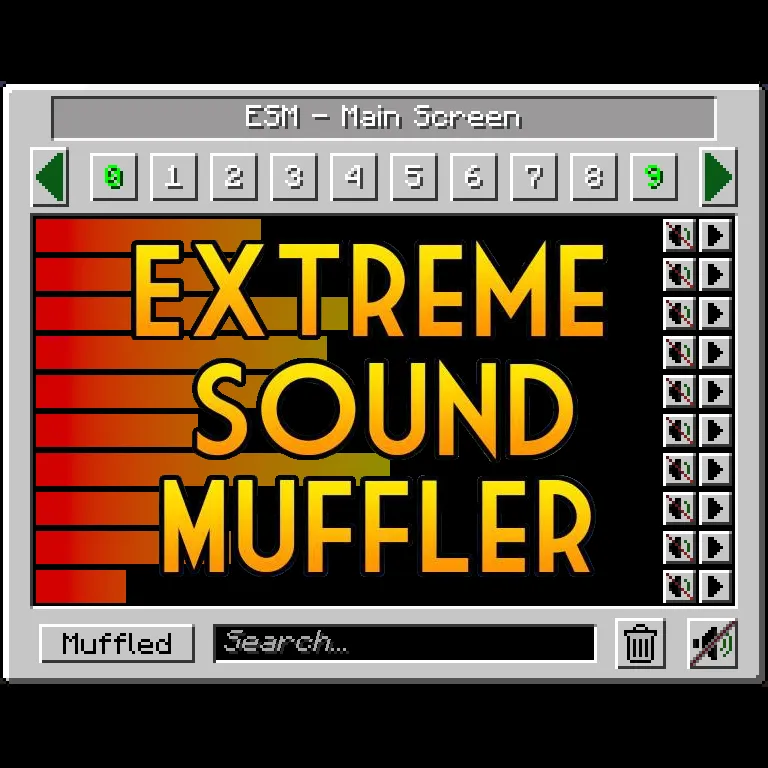
极致消音器
极致消音器是一款客户端模组,可让你有选择地减弱声音。
此模组需要FORGE/NEOFORGE才能运行。
现已支持暗黑模式!!请查看配置文件以启用它!
你可以在此获取织物(FABRIC)版本!
工作原理:
1. 点击物品栏中的按钮或指定一个按键来打开界面。
2. 点击你想要减弱声音旁边的按钮。
3. 可选操作:拖动滑块来设置声音的音量。
4. 可选操作:按下播放按钮,确保这就是你想要减弱的声音。
5. 享受宁静。
锚点呢?
锚点是范围消音器,用于在小范围内减弱声音。
2. 选择10个编号按钮中的一个
3. 按下右侧面板上类似标记的按钮来设置锚点位置
4. 可选操作:按下编辑锚点按钮(标记旁边),设置锚点的名称和范围
5. 减弱声音,享受范围性的宁静
你可以随时按下标记按钮来更改锚点位置。
物品栏按钮:
如果你不喜欢物品栏中的极致消音器(ESM),可以在配置中禁用它。
如果你不喜欢按钮的位置,可以将鼠标右键按住消音器按钮并拖动到你想要的任何位置。
大多数内容都是可配置的!
- 你可以将减弱和播放按钮放在屏幕左侧或右侧,以获得更便捷的视觉效果。
- 你可以禁用锚点。
- 你可以将声音列入黑名单,防止它们出现在极致消音器(ESM)界面中。
- 你可以选择默认的减弱音量。
- 你可以禁用物品栏按钮。
致谢:
McJty 提供的教程
EdgarAllen 提出的原始创意。
Vazkii 提供的梗图。
在此查看我的其他模组
Extreme sound muffler
Extreme sound muffler is a client side mod that allows you to muffle sounds selectively.
This mod needs FORGE/NEOFORGE to work.
Now with Dark mode!! check the configs to enable it!
You can get the FABRIC version here!
HOW IT WORKS:
1. Click on the button in your inventory or assign a key to open the gui.
2. Click on the button next to the sound you want to muffle.
3. Optional: set the volume of the sound dragging the slider around.
4. Optional: press the play button to be sure that's the sound you want to muffle.
5. Enjoy peace.
What about Anchors?
Anchors are ranged mufflers, for when you want to muffle a sound on a small area
2. Select one of the 10 numbered buttons
3. Press the marker like button on the right panel to set the Anchor position
4. Optional: press the edit Anchor button (next to marker) and set the name and range of the Anchor
5. Muffle the sounds and enjoy ranged peace
You can change the Anchor position whenever you want by pressing the marker button.
Inventory button:
if you don't like the ESM muffler in the inventory, you can disable it in the config.
if you don't like the position of the button, you can hold right mouse button over the muffler button and drag it wherever you want.
Most things are configurable!
- You can put the muffle and play buttons on the left right of the screen for easier visuals.
- You can disable the anchors.
- You can blacklist sounds to prevent them from appearing in the ESM screen.
- You can choose the default muffle volume.
- You can disable the Inventory button
THANKS:
McJty for the tutorials
EdgarAllen for the original idea.
Vazkii for the memes.
Take a look to my other mods here
本站是资源分享站,资源均来自于互联网和用户自发分享,仅供学习和交流使用。如有版权问题,请联系管理员删除。
操作
创作者
待认领资源
成为此资源的创作者
其他链接
最近更新资源
神秘启旅 ~ Thaum Journey
热度 2517 | 1 周前更新
愚者 - The Fool
热度 81927 | 1 周前更新
咒术回战(咒术战斗) - Jujutsu Kaisen (Sorcery Fight)
热度 2860 | 1 周前更新
诡厄使徒:诸神黄昏
热度 226 | 1 周前更新
终焉决斗NW
热度 559 | 1 周前更新
Minecraft-摄影奇境
热度 452 | 1 周前更新
无限遗产II - Infinity Legacy II
热度 3796 | 1 周前更新
机械动力:黄铜协奏曲
热度 4293 | 1 周前更新
ATM10:空岛 - All the Mods 10: To the Sky
热度 370 | 1 周前更新
魔女之旅
热度 1258 | 1 周前更新
石头世界4 FTB StoneBlock 4
热度 4322 | 1 周前更新
通天之路
热度 2035 | 1 周前更新
评论区 (0)
登录 后才能发表评论
快来发表第一条评论吧!