描述
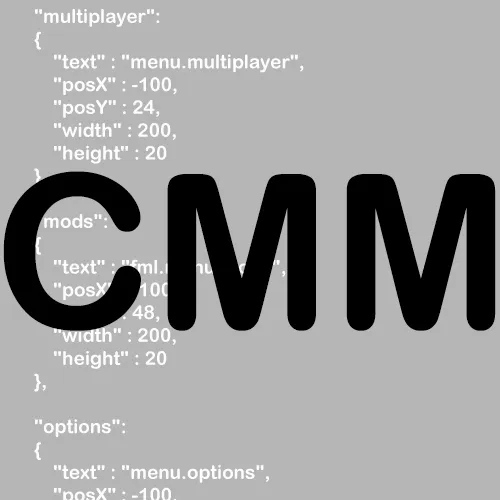
这个模组允许你使用一个JSON文件来修改主菜单,你几乎可以修改原版菜单中所有内容的显示和位置。此外,你还可以向菜单中添加新元素,比如幻灯片、网页链接或全新的子菜单。
使用方法
第一次运行这个模组后,你应该会注意到主菜单中多了一个按钮。如果你查看config/CustomMainMenu文件夹,会发现一个名为menu.json的文件。在这个文件中,你会看到原版主菜单的所有元素,修改内容后,在游戏中按下刷新按钮,你就能立即看到所做的更改(如果你对结果满意,可以移除刷新按钮)。如果你曾经使用过JSON文件,那么里面的所有内容应该都相当容易理解。有关可以添加到菜单中的不同元素的更多信息,请查看“页面”。
所有斜体属性都允许使用随机值。例如:"text" : ["文本1","文本2","文本3","文本4"]。每次运行《我的世界》时,都会随机选择其中一个值。
对于纹理/图像/文本属性,它需要一个资源位置(或者(对于图像)如果你使用“web”作为资源域,则需要一个在线图像的URL)。你可以使用资源包或资源加载器(更简单)来添加自己的资源。
示例
如果你不想浏览所有链接,也可以转到“图片”选项卡查看一些结果。
- 配置 / 结果
- 配置 / 结果
- 配置 / 结果
- 配置 / 结果(自定义按钮文本颜色和纹理)
- 配置 / 结果
- 配置 / 结果
- 配置 / 结果
- 配置 / 结果
- 配置 / 结果
- 配置 / 结果
- 配置 / 结果
- 配置 / 结果
- 配置 / 结果
- 配置 / 结果
- 配置 / 结果
- 配置 / 结果
- 配置 / 结果
- 配置 / 结果
- 配置 / 结果
- 配置 (1) (2) / 结果
- 即将推出(如果你制作了很棒的内容,也欢迎发布配置和相关图片)
由于格式的变化,其中一些示例在最新的CMM版本中可能无法正常工作或显示,但它们仍能让你了解示例中内容的实现方式。此外,其中一些示例可能需要自定义图像,因此当你自己使用时,看起来可能会有点奇怪。
实用工具
- Textcraft:用于生成“标志”类型文本内容的网站。
- Minotar:通过URL获取玩家皮肤/头像/其他内容的简单方法。例如,可以与“web:”一起使用,将用户的头像作为图像获取。
报告问题
在GitHub上创建问题之前,请确保:
- 你的JSON文件实际上是有效的JSON(通过在线JSON检查器运行它)
- 所有资源位置(例如图像路径)在JSON文件和文件系统中都完全为小写
- 你没有遗漏任何非可选的属性/部分。
- 你的属性名称完全正确
- 如果你遇到纹理缺失问题,在资源文件夹中创建一个名为debug的文件夹。这样,每当资源加载器找不到Minecraft请求的文件时,它就会在调试日志中打印一行。(调试日志可以在fml-client-latest.log中找到)。确保文件路径完全正确(在Windows上,你可以尝试使用Win + R“运行”它)
联系
如果你对想要修改的内容有建议,或者想要报告发现的错误,请在我的GitHub问题跟踪器上进行,而不是在CurseForge上 : )。
欢迎在任何模组包中使用这个模组 : )。你无需向我发送任何东西。
Description
This mod allows you to modify the main menu using a json file, you can modify the content / position of pretty much everything the vanilla menu contains. In addition you can also add new stuff to your menu like a slideshow, web links or completely new sub menus.
Usage
After your first run with this mod the only difference you should notice is that there is an additional button added in your main menu. If you look in the config/CustomMainMenu folder you will notice a file called menu.json. In there you will see all elements the vanilla main menu has, modifying the content and pressing the refresh button ingame will allow you to instantly see what changes you made (You can remove the refresh button once you are happy with your result). Everything in there should be fairly self explanatory if you have ever worked with json files. See the Pages for more Information about the different stuff you can add to your menu.
All cursive properties allow a random value. Example: "text" : ["Text1","Text2","Text3","Text4"]. One of the values will be selected randomly every minecraft run.
For the texture / image / text property it takes a resource location (or (for images) if you use web as your resource domain an url to an image online). You can add your own resources ones using either a resource pack or Resource Loader (easier).
Examples
If you don't wanna go through all the links you can also go to the images tab to see some of the results.
- Config / Result
- Config / Result
- Config / Result
- Config / Result (Custom button text colors & textures)
- Config / Result
- Config / Result
- Config / Result
- Config / Result
- Config / Result
- Config / Result
- Config / Result
- Config / Result
- Config / Result
- Config / Result
- Config / Result
- Config / Result
- Config / Result
- Config / Result
- Config / Result
- Config (1) (2) / Result
- Coming Soon (Also if you have made something nice feel free to post the config & an image of it)
Some of these examples might not work / look properly with the latest CMM version due to changes in the format, they will still provide insight on how the stuff displayed in the example was done though. Also some of these examples might require custom images, these will therefore also look a bit weird when you use them yourself.
Useful Tools
- Textcraft: Websites to generate "logo" type text stuff.
- Minotar: Simple way to get a players skin / head / whatever through an url. Can for example be used together with "web:" to get the avatar of the user as an image.
Reporting Issues
Before creating an issue on github make sure that:
- Your json file is actually valid json (Run it through an online json checker)
- All your resource locations (For example paths to images) are completely lower case (In the json file and your file system)
- You aren't missing any properties / sections that aren't optional.
- That your property names are 100% correct
- If you get missing textures create a folder called debug in your resources folder. That will cause Resource Loader to print a line to the debug log whenever it can't find a file minecraft requested. (Debug log can be found in fml-client-latest.log). Make sure the file path is 100% correct (On Windows you can try to "run" it using Win + R)
Contact
If you have suggestions on what you want modifiable or wanna report a bug you found please do that on my github issue tracker and not on curseforge :).
Feel free to use this mod in any modpack :). You don't have to send me anything.
本站是资源分享站,资源均来自于互联网和用户自发分享,仅供学习和交流使用。如有版权问题,请联系管理员删除。
操作
创作者
待认领资源
成为此资源的创作者
其他链接
最近更新资源
神秘启旅 ~ Thaum Journey
热度 2484 | 5 天前更新
愚者 - The Fool
热度 81696 | 5 天前更新
咒术回战(咒术战斗) - Jujutsu Kaisen (Sorcery Fight)
热度 2830 | 6 天前更新
诡厄使徒:诸神黄昏
热度 205 | 6 天前更新
终焉决斗NW
热度 380 | 6 天前更新
Minecraft-摄影奇境
热度 377 | 1 周前更新
无限遗产II - Infinity Legacy II
热度 3756 | 1 周前更新
机械动力:黄铜协奏曲
热度 4262 | 1 周前更新
ATM10:空岛 - All the Mods 10: To the Sky
热度 334 | 1 周前更新
魔女之旅
热度 1197 | 1 周前更新
石头世界4 FTB StoneBlock 4
热度 4293 | 1 周前更新
通天之路
热度 1937 | 1 周前更新
评论区 (0)
登录 后才能发表评论
快来发表第一条评论吧!