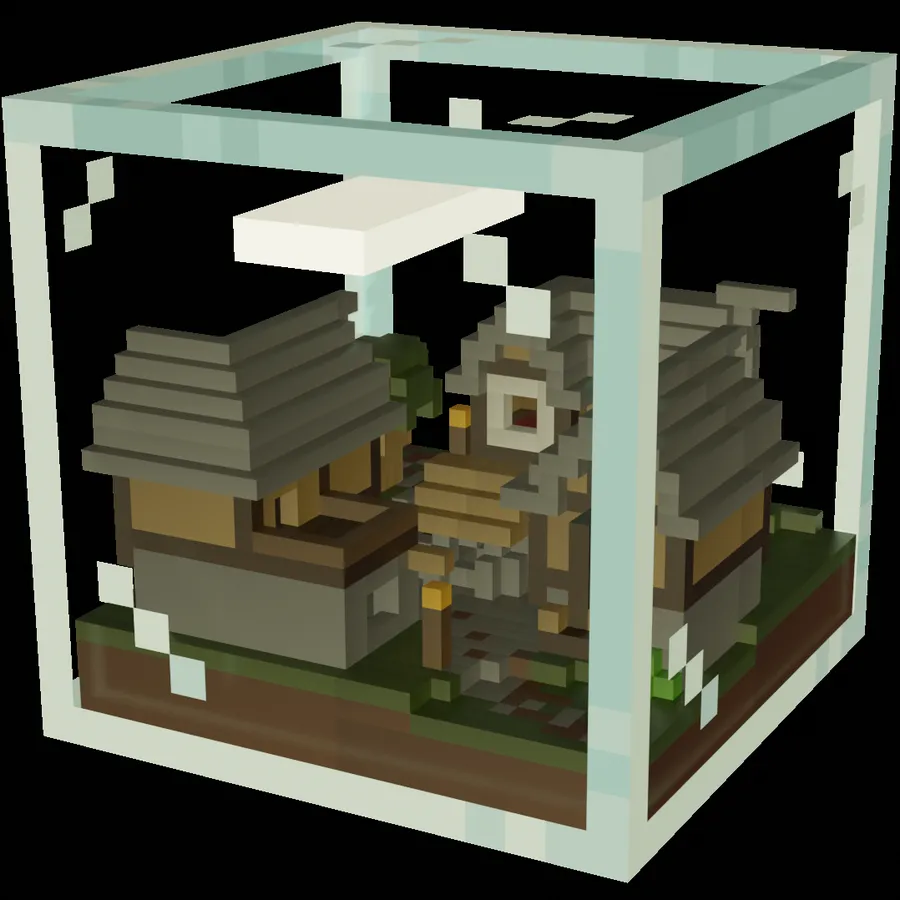
战斗方块2 是备受期待的快节奏PvP经典游戏续作。现在拥有18个竞技场、18种独特物品,无论单人游玩还是组队,都充满了混乱的乐趣!全力以赴将对手击出方块,成为最后屹立不倒的人!
游玩此地图需要一个 自定义资源包(世界下载中也包含该资源包)!
想在 免费服务器 上与其他玩家一起游玩 战斗方块2 吗?
若想了解方法,请查看 我们的网站 或加入我们的 Discord服务器。
如何创建自己的战斗方块竞技场:
- 使用命令 /function editor:create_new_arena 或 /function editor:edit_arena 打开编辑器。使用这些命令需要管理员权限。尝试编辑竞技场时,打开你面前的结构方块,并写入结构的路径(例如,“黄金矿场” 保存为 “map:quarry”)。然后按右侧的 “加载” 按钮两次。
- 如果你想加入某人创建竞技场的过程,使用 /function editor:join_as_editor 或切换到创造模式。
- 要放置出生点,请使用方块外的命令方块。使用获得的刷怪蛋,你可以放置、旋转和移除出生点。你必须准确放置8个出生点!
- 要使门在游戏中可交互,你需要使用刷怪蛋在门内放置一个门实体。
- 当你对你的创作感到满意时,你可以使用竞技场外的命令方块保存竞技场。打开你面前的结构方块,给结构起个名字,然后按右侧的 “保存” 按钮。
- 保存结构后,运行 /data modify storage map:arena new_arena append value {structure:"STRUCTURE NAME", tags:["noon"], display:'{"text":"DISPLAY NAME"}'} 将其添加到竞技场列表中。将 “STRUCTURE NAME” 替换为结构方块中设置的名称,将 “DISPLAY NAME” 替换为你希望在大厅中显示的名称。
- 要移除最后添加的竞技场,使用 /function dev:remove_arena
Combat Cube 2 is the long-awaited sequel of the fast-paced PvP classic. Now featuring 18 arenas, 18 unique items and lots of chaotic fun - alone or in teams. Try to knock your opponents out of that cube with all your might and be the last one standing!
You need a custom resource pack to play this map (also included in the world download)!
Want to play Combat Cube 2 with other players on a free server?
To find out how check out our website or join our Discord server.
How to create your own Combat Cube arena:
- Open the editor by using the command /function editor:create_new_arena or /function editor:edit_arena. You need operator permissions to use those commands. When trying to edit an arena, open the structure block in front of you and write the path to the structure (for example “Gold Quarry” is saved as “map:quarry”). Then press the right LOAD button twice.
- If you want to join someone creating an arena use /function editor:join_as_editor or switch to creative mode.
- To place the spawn points use the command block outside the cube. With the received spawn eggs you can place, rotate and remove spawn points. You need to place exactly 8 spawn points!
- To make doors interactable in game, you need to place a door entity inside the door using the spawn eggs.
- When you are satisfied with your creation, you can save the arena by using the command block outside the arena. Open the structure block in front of you, give the structure a name and press the right SAVE button.
- After saving the structure, run /data modify storage map:arena new_arena append value {structure:"STRUCTURE NAME", tags:["noon"], display:'{"text":"DISPLAY NAME"}'} to add it to the arena list. Replace STRUCTURE NAME with the name set in the structure block and DISPLAY NAME with the name you want to be displayed in the lobby.
- To remove the last added arena use /function dev:remove_arena
本站是资源分享站,资源均来自于互联网和用户自发分享,仅供学习和交流使用。如有版权问题,请联系管理员删除。
操作
创作者
待认领资源
成为此资源的创作者
其他链接
最近更新资源
神秘启旅 ~ Thaum Journey
热度 2482 | 5 天前更新
愚者 - The Fool
热度 81685 | 5 天前更新
咒术回战(咒术战斗) - Jujutsu Kaisen (Sorcery Fight)
热度 2820 | 6 天前更新
诡厄使徒:诸神黄昏
热度 199 | 6 天前更新
终焉决斗NW
热度 354 | 6 天前更新
Minecraft-摄影奇境
热度 377 | 1 周前更新
无限遗产II - Infinity Legacy II
热度 3754 | 1 周前更新
机械动力:黄铜协奏曲
热度 4252 | 1 周前更新
ATM10:空岛 - All the Mods 10: To the Sky
热度 332 | 1 周前更新
魔女之旅
热度 1189 | 1 周前更新
石头世界4 FTB StoneBlock 4
热度 4293 | 1 周前更新
通天之路
热度 1930 | 1 周前更新
评论区 (0)
登录 后才能发表评论
快来发表第一条评论吧!